




FR | EN
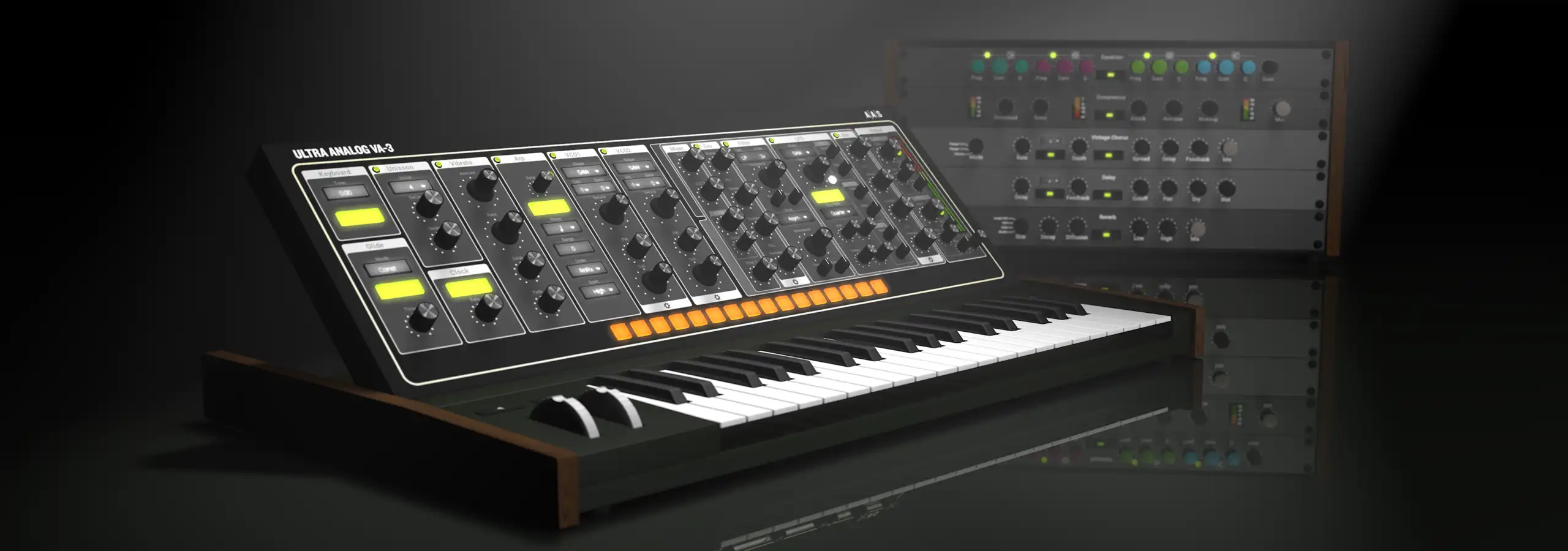
This article explores some techniques for programming motion synths and pads using subtractive synthesis on Ultra Analog VA-1. To get an idea of what you'll be learning, listen to the phrase-demo containing excerpts of the patches created for this article. You can also download all the presets of this masterclass in the User Library. Without further ado, let's begin with the simplest possible scenario and then gradually progress to more complex, animated and interesting motion pads.
A generic pad can be programmed on Ultra Analog (UA) just by using channel path 1 (top two rows of modules). So first of all, switch off all the modules in channel path 2 (bottom two rows).
Now set Oscillator 1 to produce a sawtooth waveform and lowpass filter this signal using Filter 1. Keep cutoff and its kbd (keyboard tracking) knob slightly below their center positions. Set the Q knob to a moderately low level and keep its kbd knob at 0. The characteristic loudness swell and decay required for a pad are obtained by having long attack and release times with a high sustain level on Amp Env 1. We can also get basic spectral development by routing Filter Env 1 to modulate the cutoff frequency. Don't forget to bring up the Env1 gain knob on Filter 1 in order to actually hear the modulation caused by the filter envelope. Add some delay and reverb using the effects section and your generic pad is ready! Compare your results with the audio demo for this patch.
A few changes to the above pad can breathe a new life into it. Firstly, copy the settings of channel path 1 to the channel path 2. The quickest way to do this is by clicking on the small triangle on the top-right of each module in channel path 2 and choosing the copy settings from command.
Having created a replica of channel path 1, detune Oscillator 2 slightly. Raise the cutoff, Env1 and Kbd knobs on Filter 2 to levels higher than they were. These changes will result in much more drastic filter sweeps, with the higher notes being significantly brighter than the lower ones. Add some distortion by choosing Asym3 in the drive parameter of Filter 2. Lastly, route some of the filter envelope signal to resonance by turning up the Env1 knob for Q. This makes the resonance vary in proportion with cutoff frequency. When cutoff rises due to the action of the filter envelope, resonance will rise too, and similarly, when the cutoff falls, resonance will fall.
This, incidentally, is similar to the spectral behavior of bowed glass. Add some negative keyboard tracking to Amp 2 to ensure the bright signal emerging from channel path 2 doesn't become too piercing when you play the higher keys. You now have a new hybrid pad that has a soft horn-like texture, but also bears resemblance to bowed glass on the higher notes. Add some effects and compare your results with the audio file.
A common problem encountered while designing warm pads is that they tend to sound boomy and cause muddiness in a mix. On the other hand, if you don't have enough bass in the pad, much of the warmth is lacking. Therefore, the main challenge of programming warm pads is to balance these opposing factors.
We'll work around this problem by strategically filtering off the low end of a sawtooth wave (using channel path 1) before working further with it (in channel path 2). Set Oscillator 1 to produce a sawtooth and highpass filter it using Filter 1. Using the F1/F2 knob on Filter 1, send this entire signal to lowpass Filter 2. Mute Amp 1. Q knobs are set to minimum for both filters. Now set keyboard tracking for Filter 1 to be slightly lower than its center position. This will cause higher notes to have relatively more low-end than the lower notes, thereby maintaining the warmth at higher pitches while simultaneously avoiding muddiness at lower pitches. This is quite an elegant solution to the problem of muddiness vs. warmth. Other settings are pretty much like the previous patches, with the addition of using LFO 2 to modulate the cutoff frequency. Add some effects and compare your results.

Oscillator 1 produces a narrow pulse wave while the sync feature is also on. LFO 1 generates a smoothed random (Random 2) signal and modulates the pulse width as well as the pitch of the oscillator. Simultaneous control of these two parameters causes changes in the relationship between the sync master and the sync slave thereby yielding a rich and evolving timbre. It can be heard as a jittery sweep within a buzzy spectrum. Now we pass this signal through Filter 1 which is set to be a lowpass filter with high resonance. Route the same LFO signal to modulate the cutoff frequency of the filter as well. As the resonant filter sweeps around, various harmonic regions will be emphasized or attenuated. The unpredictable nature of this spectral emphasis is much like a drunk person trying to climb a ladder - sometimes ascending a few steps, and sometimes receding a few at an unpredictable rate.


Set up channel path 2 for a standard pad just like earlier patches. This time, in addition to using Filter Env 2 to control the cutoff frequency of Filter2, use it in an inverted manner to control the resonance as well. This will make sure that resonance is automatically lowered when the cutoff frequency is swept to high areas in order to prevent the filter from ringing.
Create a pad on channel path 2. Within channel path 1, set Oscillator 1 to a narrow pulse wave. Route a slow sinus from LFO 1 to control the width of this pulse. Set Filter 1 to Notch and keep the resonance low so that the notches created in the spectrum are wider and easier to hear. Turn up the keyboard tracking for center frequency of the notch. We'll now use the loop feature of Filter Env 1 to cyclically modulate the notch frequency at a rate that's different from the LFO. This gives more dimensions to our sound because of two different cyclic things going on at the same time. Finally, use the built-in pitch envelope generators on both the oscillators to create an upward pitch slide to reach each note you play; This emulates a backup singer in a chorus who tends to slightly 'fly' into the required pitch, instead of hitting it bang on target. Add sufficient amounts of chorus and reverb to top it all off.
Switch off all the modules of channel path 1 except Oscillator 1 and tune it to be a perfect fifth higher than Oscillator 2. Set both of them to sawtooth waveforms. N'll use a mix of these two oscillators as the source material for lowpass filtering in channel path 2 and create a pad. Run this patch through Flange IIs effect and reverb. Don't forget to engage the reset button on LFO 2 which modulates the cutoff. This results in similar spectral developments each time you play new notes and endows a certain recognizable feel to the overall sound. Notice fantastic spectral cancellations and emphases due to the flange. When you play lower notes, you'll find that the pad sounds like an ancient chant.
Retain the settings of the previous patch in channel path 2 and bypass the flange effect. Now we're going to add some fancy motion effects in channel path 1. Oscillator 1, as in the previous patch, is a sawtooth tuned a perfect fifth higher than Oscillator 2. Pass the signal from Oscillator 1 through narrow bandpass filter Filter 1. One of the sources controlling the center frequency of this bandpass filter is the inverted signal from Filter Env 1, which has been programmed to keep looping the ADR phases. The inverted signal from a looping envelope will cause cyclic downward slides in the center frequency of the bandpass filter. In addition, set LFO 1 to produce a random signal which will also be used to control the center frequency of the bandpass filter. The net effect of these two signals acting on the cutoff frequency is heard as kind of an 'audio meteor shower'. Of course, we still have the pad sound from channel path 2 to augment these sparkling 'drops'. Add some delay, reverb and sizzle away!
Bias Oscillator 1 (narrow pulse) by +7 semitones and Oscillator 2 (narrow pulse) by -1 octave. Use the F1/F2 knob on Oscillator 1 to send equal amounts of its signal to Filter 1 (highpass filter, no resonance) and Filter 2 (resonant lowpass). Using this mix of Oscillator 1 and Oscillator 2, create a pad within channel path 2.
Switch the Noise module on, and make it generate white noise by turning the Color knob to the right. Route it to Filter 1 using the F1/F2 knob. So in channel path 1, you have a mix of white noise with the pulse wave from Oscillator 1, both passing through a highpass Filter 1. Set LFO 1 to a fast triangle wave and use it to modulate the cutoff frequency of Filter 1. This results in a helicopter-like sound effect. Note that the Amp Env 1 is set to linear and it loops the AD phases, thereby producing cycling fade ins, fade outs, and panning changes for the fluttering sound. Adjust the balance between channel path 1 (flutter) and channel path 2 (pad) and add chorus, delay and reverb.
Drones can be easily transformed into vibrant pads using subtle programming tricks. UA has a bunch of handy features, some apparent and some not-so obvious, that yield wonderful sounds. Hopefully you'll have fun trying out the various tips and tricks we've discussed in your own patches. So until next time...
Yours sonically,
Gautam